Station Point website theme: what it includes and who it is for
Station Point is a one-page portfolio website theme for architecture and interior studios. Its plan-to-photo reveal, print sheets, setup and who it fits.
In this post
Station Point is a new website theme on Pulse. It is a one-page portfolio for architecture and interior studios, built around one idea: every drawing lands on its photograph. This post covers what the theme really contains, who it suits, who it does not, and how to set it up.
The problem it is built for
Most studio portfolios show plans and photos in separate places. A visitor sees a floor plan, then a gallery, and has to guess where each photo was taken. Clients also ask the same facts before they call: where, how big, how long, what budget.
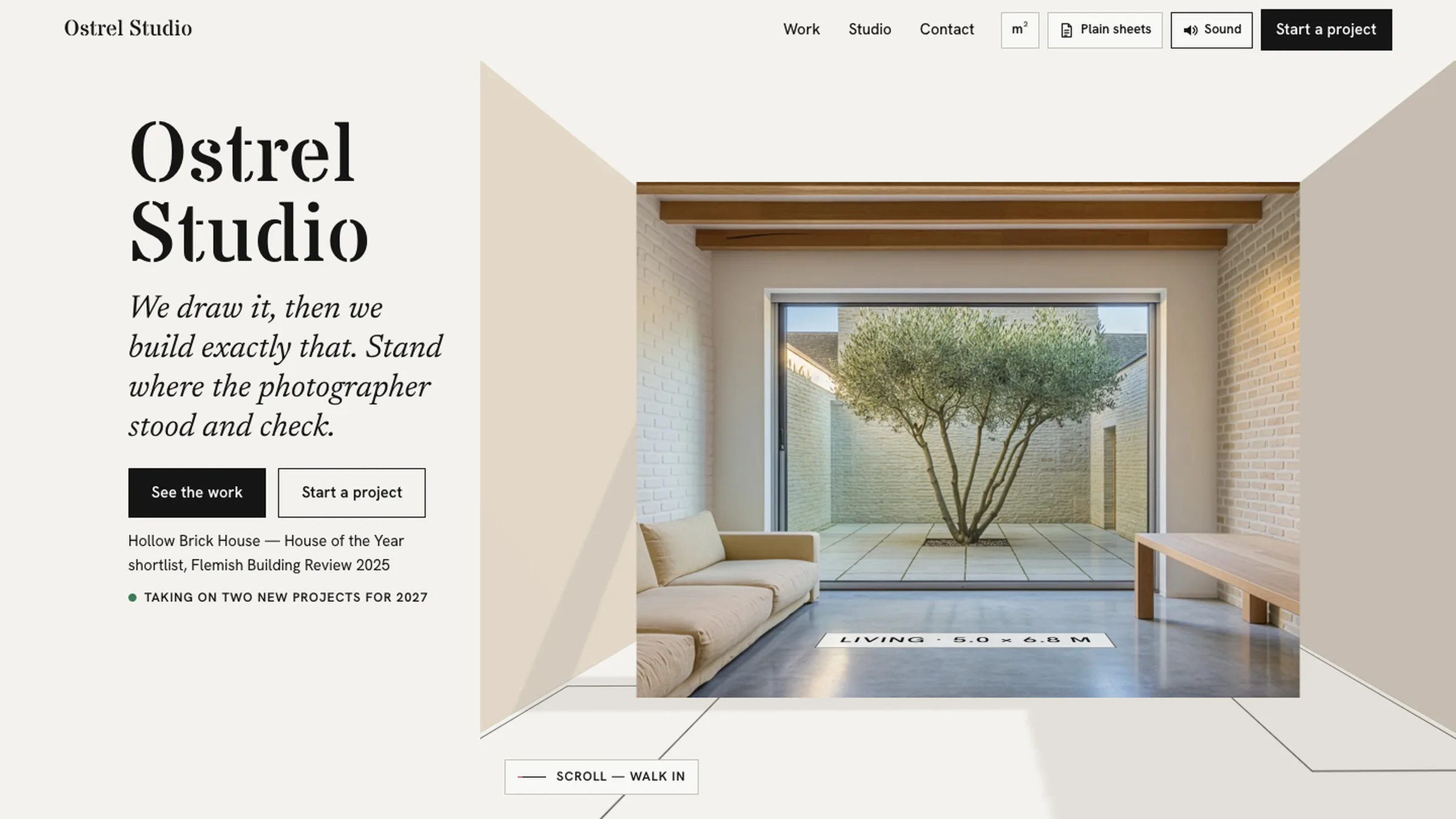
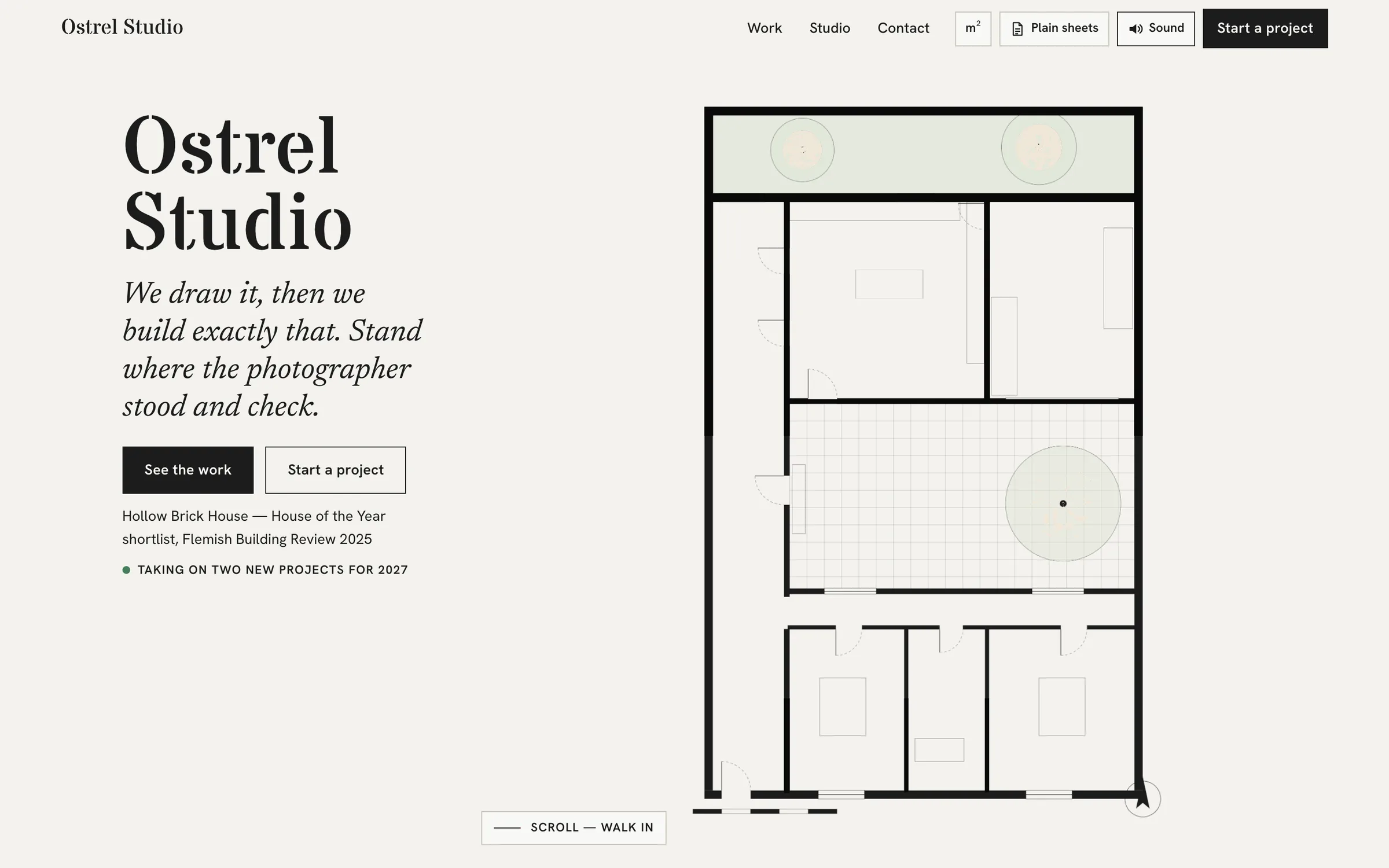
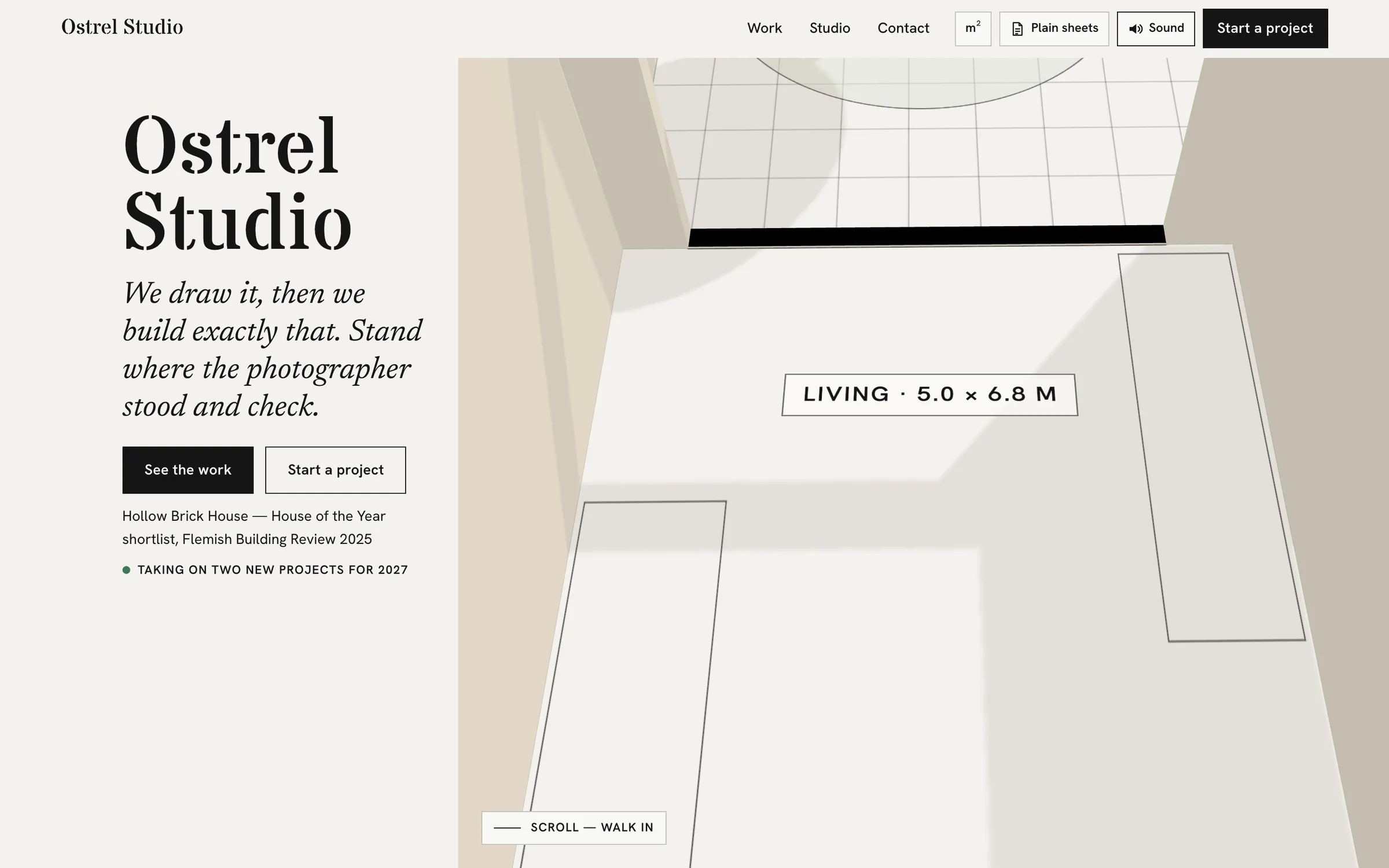
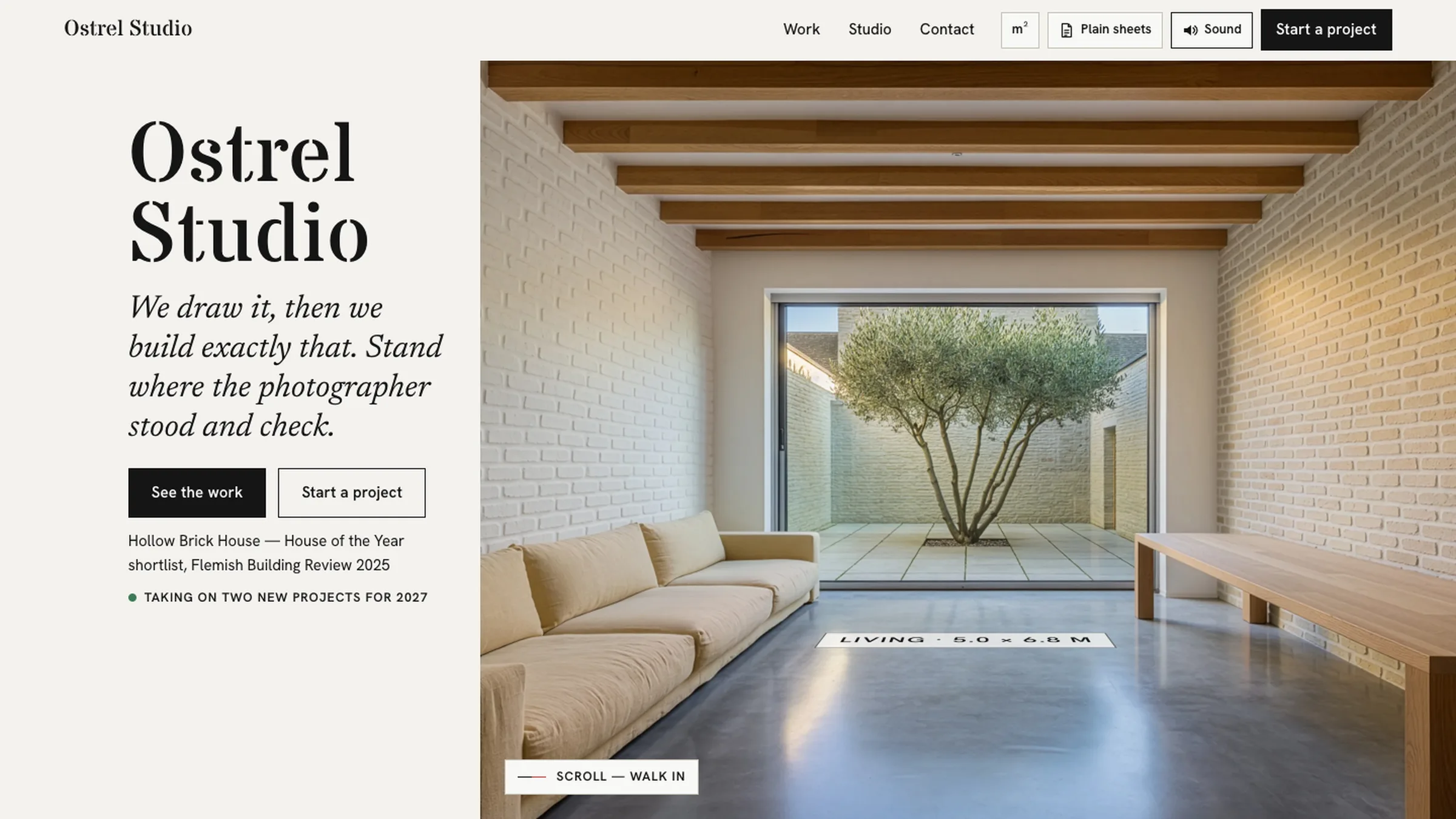
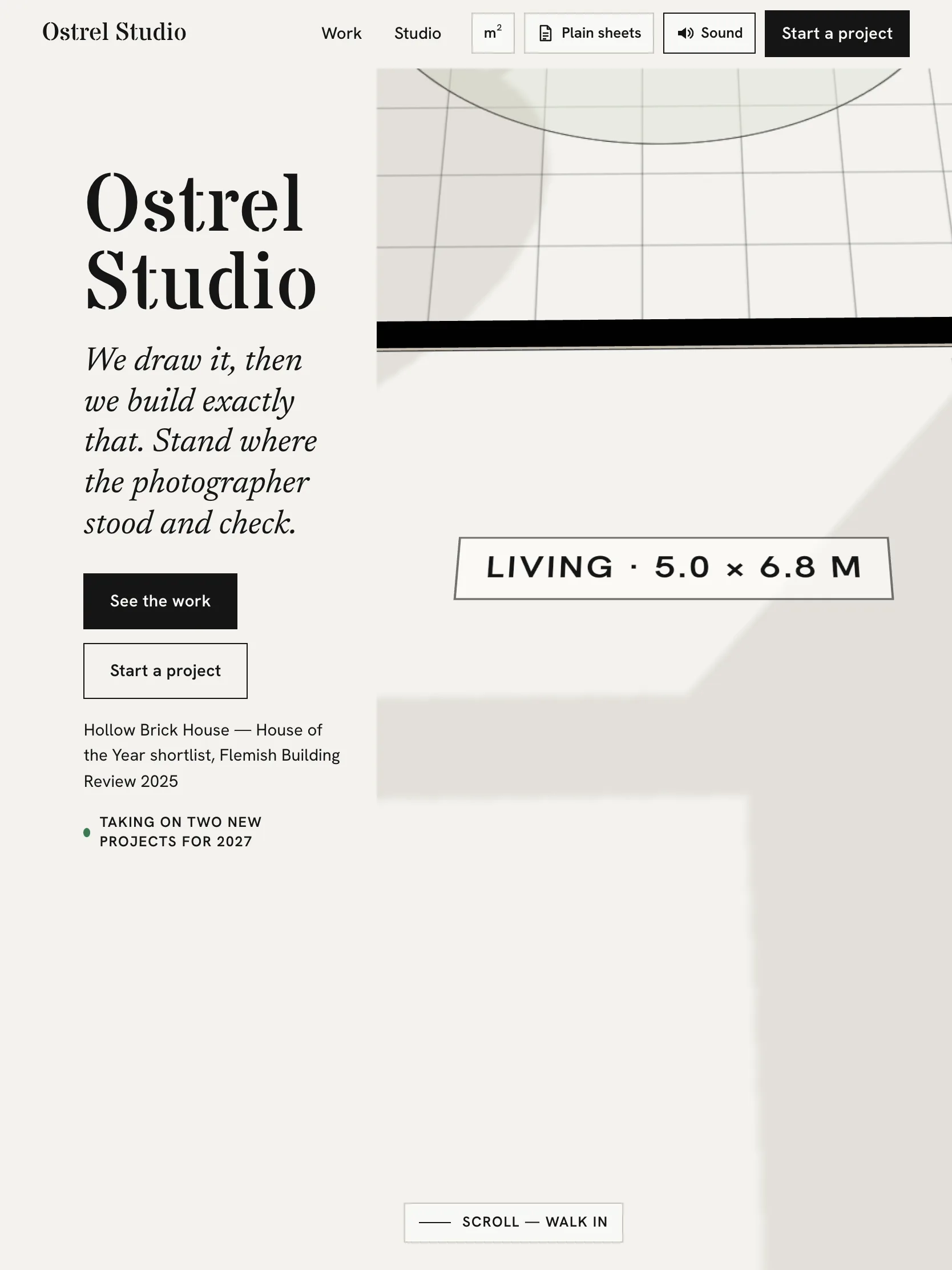
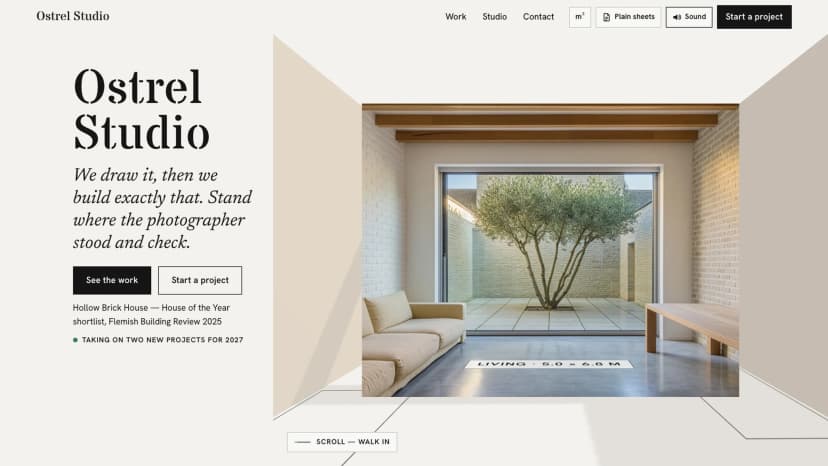
Station Point joins those pieces. Your plan rises into a white card model. The camera walks to the exact spot where your photographer stood. Then the real photograph locks into the model. The model's walls run straight into the walls in the photo, and the room's name and size lie on its floor.
What the Station Point website theme includes
This is a single-page theme. The page list has one entry: Home. Everything happens on that page, as a scroll. Here is what we checked in the facts for this product.
- Plan to photo. The plan becomes a white model, and the camera stands where the photographer stood.
- One-page print sheets. Every project prints on one page, A4 or US Letter. Each sheet has the plan with numbered view cones, numbered photos, facts, credits and a QR code back to the site.
- The facts clients ask for. Type, size in m² or sq ft, place, year, status, how long it took, budget band and the problems you solved. Makers are credited too.
- One file to edit. Your studio, people, phases and projects all live in
src/data/studio.ts. - A pin tool. It helps you trace your plan's walls from an image of the plan. The facts give 15–25 minutes for a ten-room plan. Locking a photo onto the plan takes about three minutes a photo. Photos without points still show on the sheet.
- Two ways to host. A Next.js site, plus a static-HTML copy. The static copy can sit on any static host, with no monthly plan needed for hosting.
- Accessibility and motion. The product facts state Lighthouse accessibility 100 and 90+ performance on desktop. There is also a still "plain sheets" version for visitors who prefer less motion.
The stack is Next.js 15 (App Router), React 19, TypeScript and Tailwind CSS 4. The 3D model uses three.js, with GSAP and Lenis for motion and scrolling. The product also comes with two short films that show the reveal.
Who it fits, and who it does not
It fits well if you are:
- An architecture or interior studio with floor plans and professional photos of finished work.
- A web developer building a site for such a studio, who is happy editing a TypeScript data file.
- A studio that hands out printed project sheets at meetings, or emails them as PDFs.
It is a weaker fit if:
- You need many pages. This theme has one page, Home. It does not include a blog, a separate contact page or a shop.
- You have no plans, or no photos taken inside the spaces. The plan-to-photo reveal needs both.
- You want to edit content in a visual dashboard. Content lives in
src/data/studio.ts, so someone has to edit code. - You want the reveal without setup work. The pin tool makes it easier, but tracing walls and locking photos is still your job, project by project.
How to see the demo and set it up
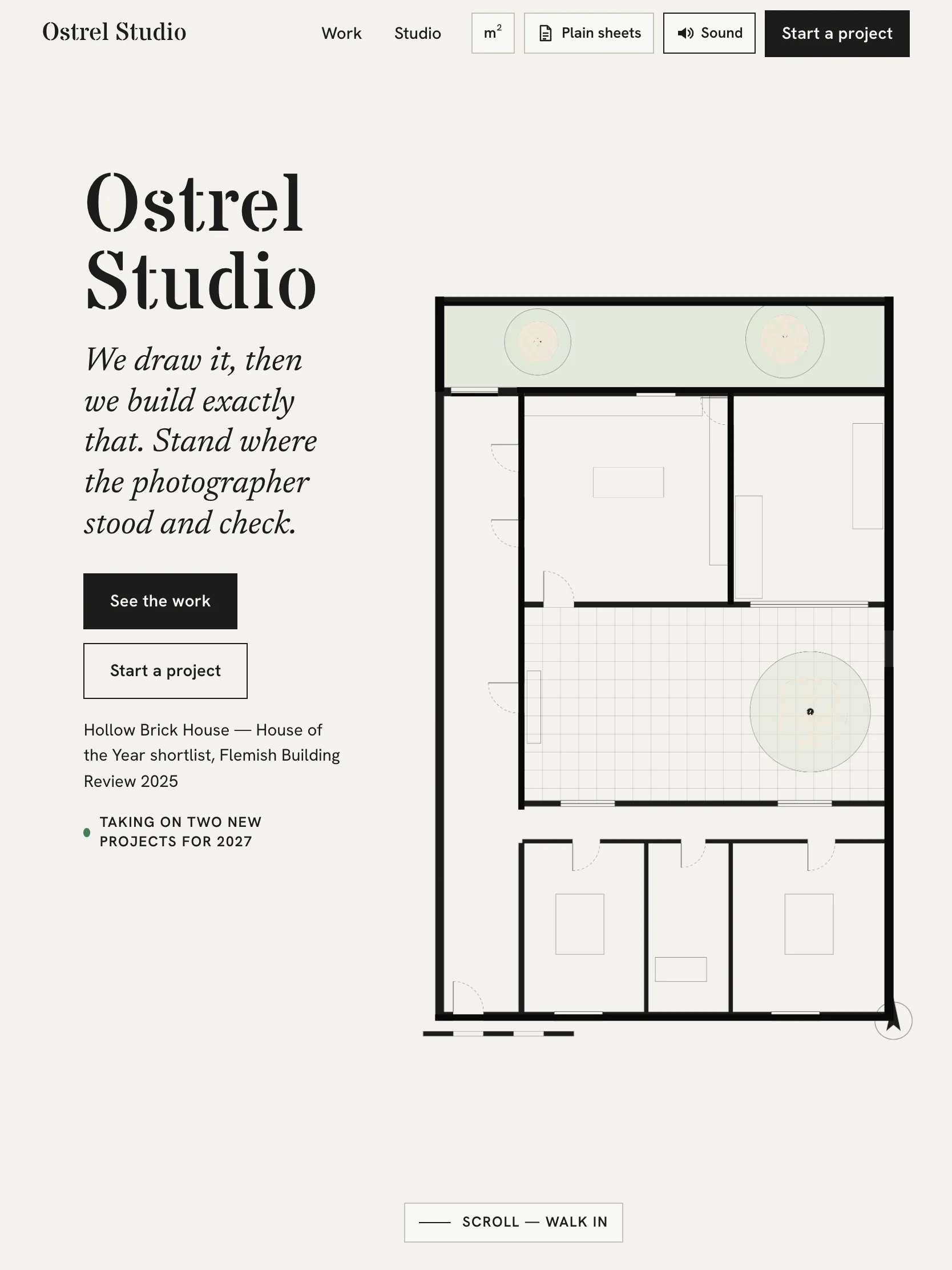
Start with the live demo on the product page. Scroll slowly through one project to see the plan rise, the walk, and the photo lock in. Then try it on a phone. The screens above include tablet and mobile views of Home.
The docs cover each step. Sections include Getting started, The data file, The pin tool, Print and plain sheets, The static-HTML copy, Accessibility, an FAQ, and legal notes (marked as not legal advice). You can read them at the Station Point docs.
A standard first run looks like this:
npm install
npm run dev- Install and run locallyRun npm install, then npm run dev, and open the Home page in your browser.
- Edit src/data/studio.tsAdd your studio, people, phases and projects, with the facts clients ask for.
- Trace each planUse the pin tool on an image of your plan. A ten-room plan takes about 15–25 minutes.
- Lock each photographPin points so the photo locks onto the model. About three minutes a photo.
- Check print and plain sheetsPrint a project on A4 or US Letter, and check the still version for less motion.
- Build and hostDeploy the Next.js site, or build the static-HTML copy as the docs describe.
One practical tip: you do not have to pin every photo on day one. Unpinned photos still appear on the print sheet. So you can launch with a few locked views and add more later.
What to do next
Gather one finished project first: a clean image of the plan, the photos, and the facts list. That is enough to judge whether the reveal works for your studio's work. If your projects are mostly built, photographed spaces, the theme suits you. If you mainly show concepts or renderings without plans, look elsewhere.
If it does fit, the Station Point product page has the live demo and full screens to check before you decide.
Questions
How many pages does Station Point have?
One. The whole portfolio runs on the Home page as a scroll, with every project also printable as a one-page sheet.
Can I use feet instead of metres?
Yes. Sizes can be shown in m² or sq ft, and sheets print on A4 or US Letter.
Do I need a paid host?
No monthly plan is required. There is a static-HTML copy you can put on any static host, or you can deploy the Next.js site.
What if a photo is hard to pin?
Photos without points still show on the print sheet. You can lock them onto the plan later with the pin tool.
Is there a version with less motion?
Yes. A still 'plain sheets' version is included for visitors who prefer less motion.