Letterbox: a gift-shop website theme where every gift is a stamp
Letterbox is a gift-shop website theme where every gift is a stamp and every occasion reprints the store. Its pages, features, limits and who it fits.
In this post
The Letterbox website theme is a new gift-shop theme on Pulse. Every product prints as a stamp, and every occasion reprints the whole store as its own sheet. It suits small shops that sell gifts around Christmas, Valentine's Day and Mother's Day, and the developers who build sites for them.
This post covers what Letterbox really contains, who it fits, who it does not fit, and how to set it up.
What Letterbox is
Most gift shops look the same in December as they do in March. The occasion is a banner on top of an ordinary grid. Shoppers also have one question that a normal store rarely answers clearly: will this arrive in time?
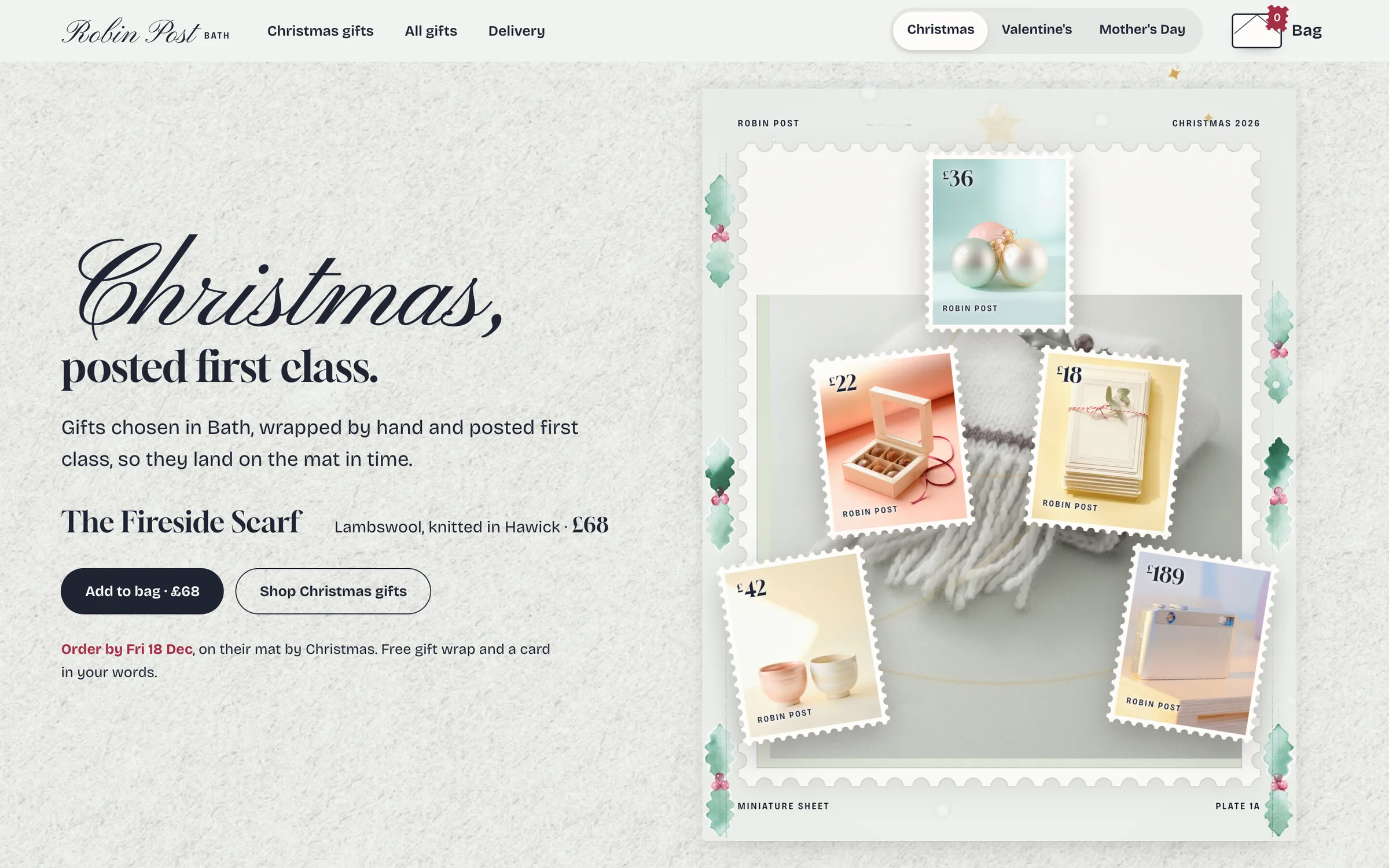
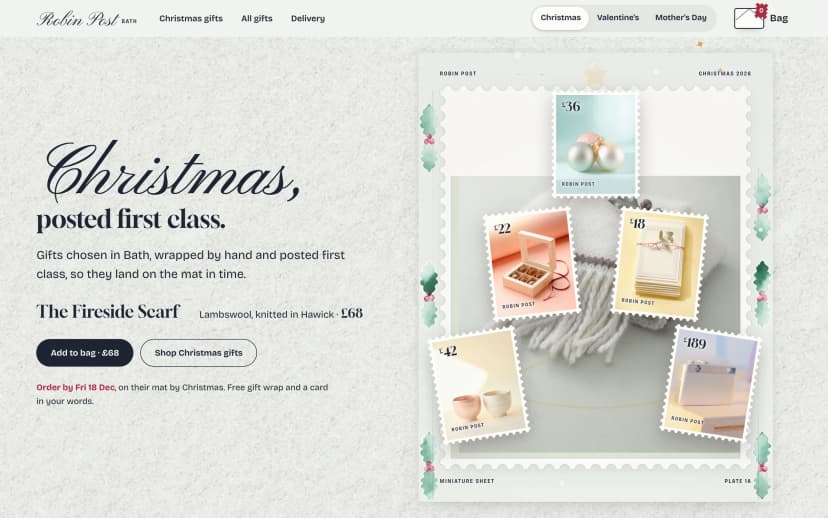
Letterbox treats the shop as a sheet of stamps. Each product is a perforated stamp. Its price is printed as the denomination. When a shopper presses Add to bag, the stamp tears off into an envelope.
A postmark shows the real last day to order. That answers the delivery question on the page itself. Switch the occasion and the store reprints itself for Christmas, Valentine's or Mother's Day.
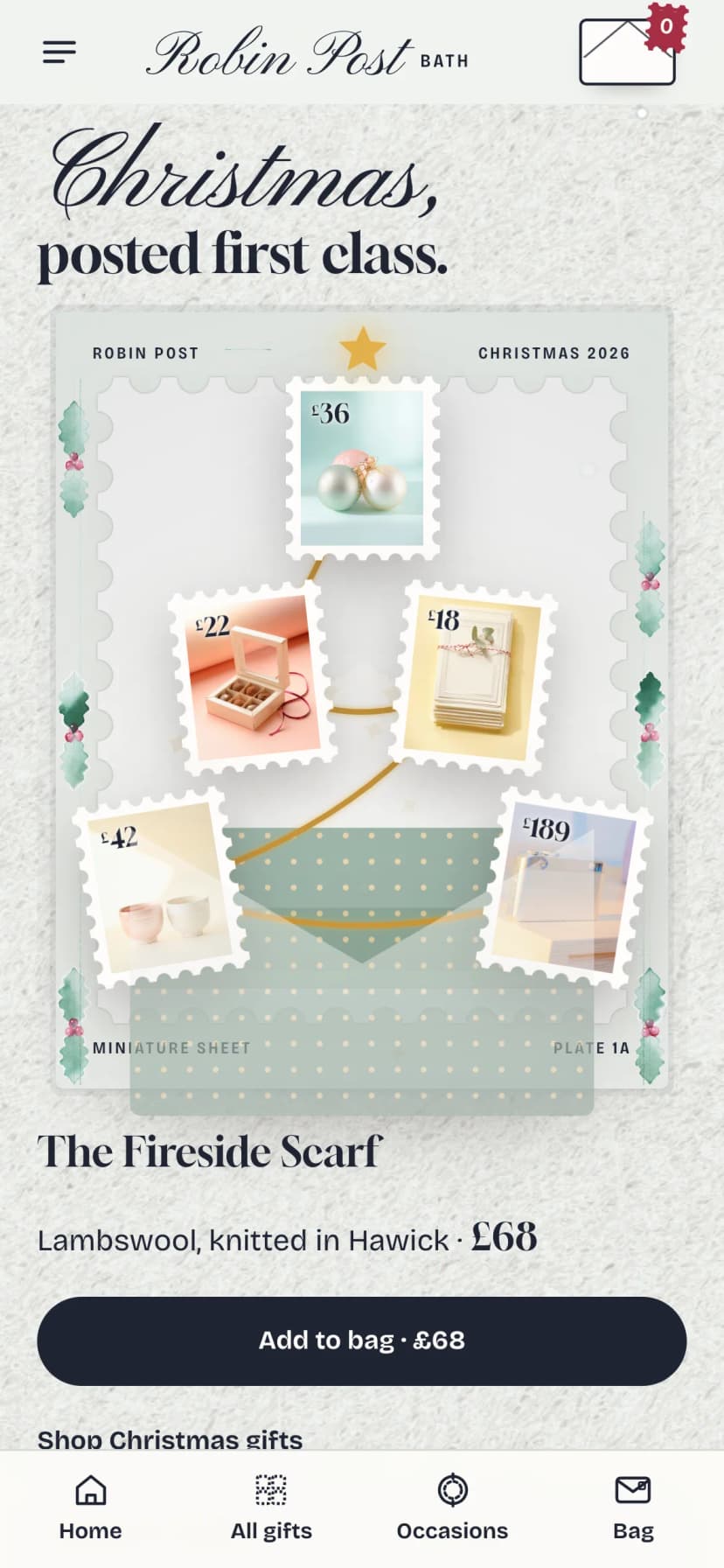
Each occasion opens with a short film. The gifts rise out of an envelope and form a Christmas tree, a heart or a bouquet.
What the Letterbox website theme includes
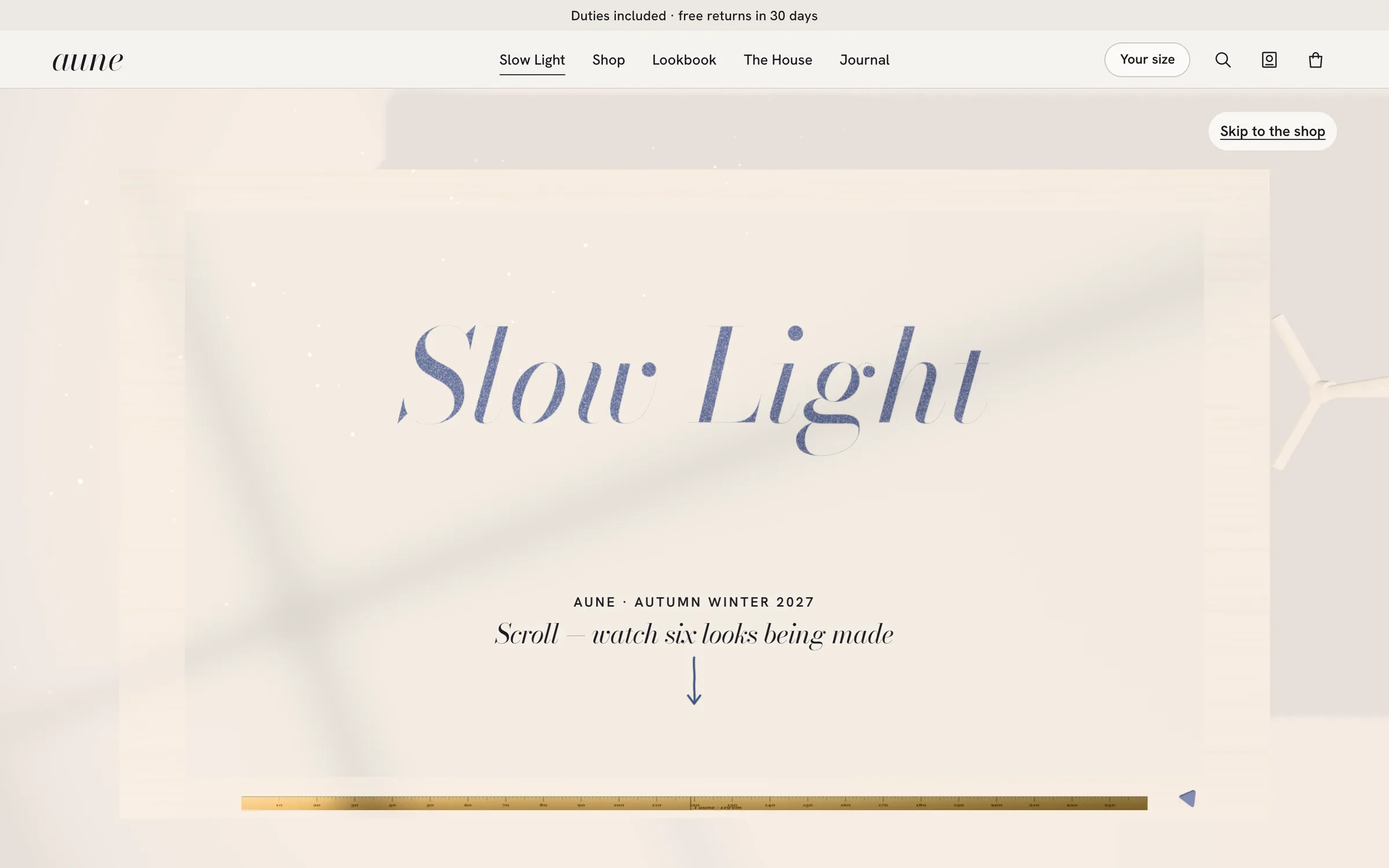
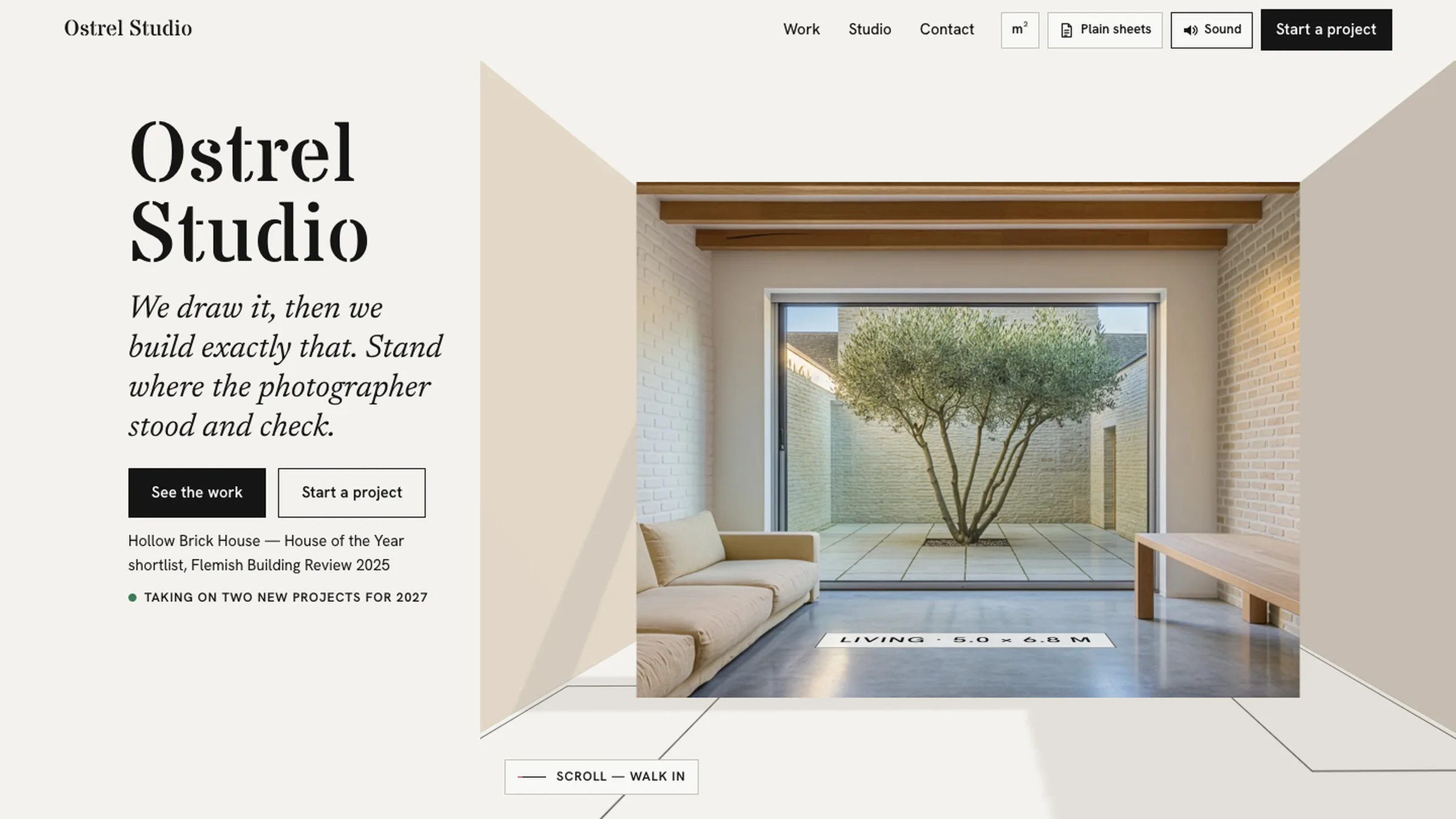
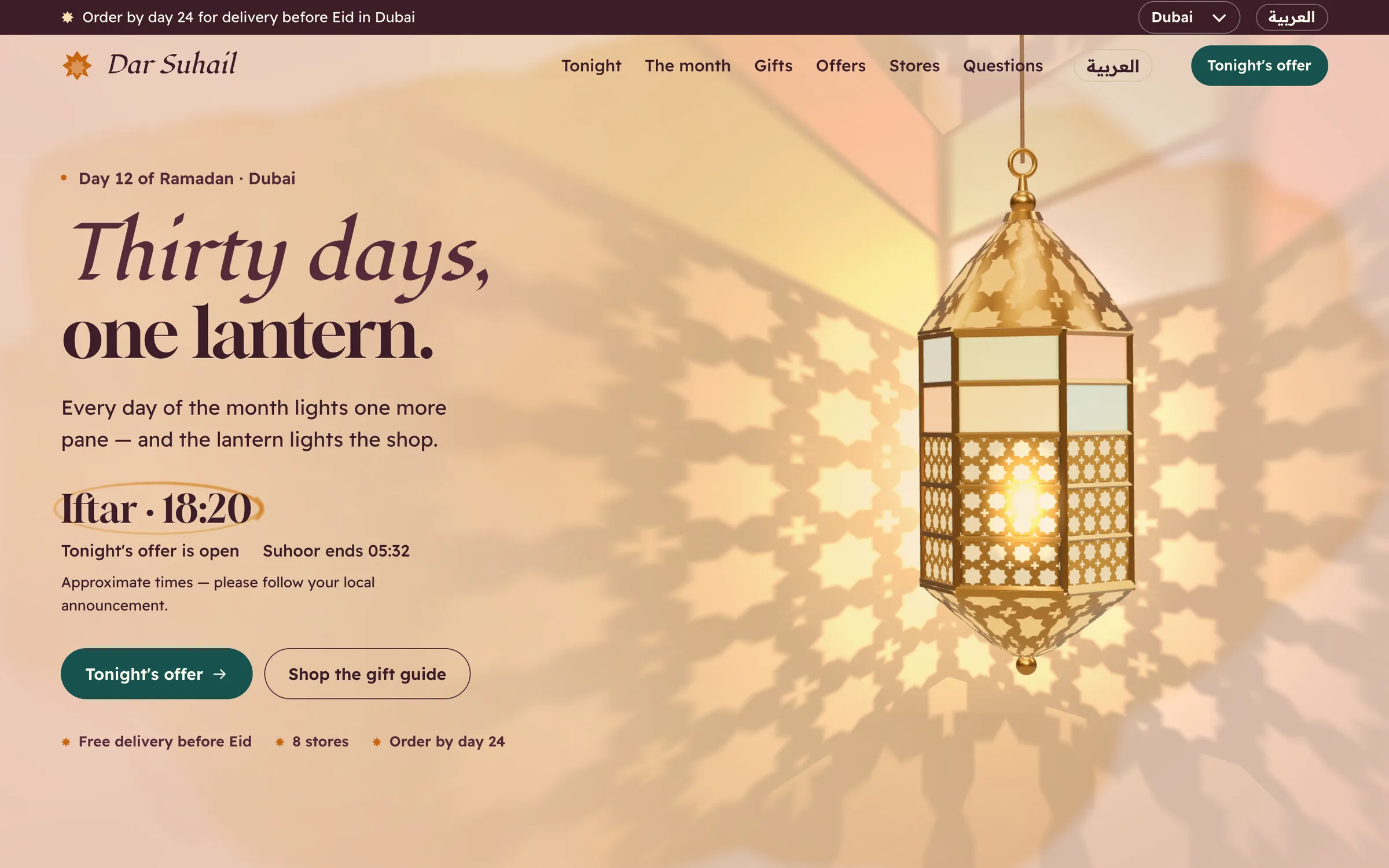
The theme has four page types: Home, Collection, Product and Occasion collections. The build has seven pages in total across these types. The screenshots show the home film, an all-gifts collection, a product page and the Christmas collection.
These are the features listed for the theme:
- Products as stamps. Each item sits on a sheet, priced on the stamp, ready to tear off into the bag.
- Three occasions built in. Christmas, Valentine's and Mother's Day, each with its own opening film.
- A postmark with your real last order date. Shoppers can see whether their gift will arrive in time.
- Hand-drawn decoration. Holly, hearts, tulips and door wreaths change with every occasion.
- Shop by person. Mum, Dad, my love. The person's name is printed on the delivery label.
- Gift wrap and a handwritten card. Both are chosen right beside Add to bag.
- 3D product view. On the product page, shoppers turn a product around and see every shade before buying.
- App-like phone layout. A thumb-friendly bar and bag on small screens.
The stack is Next.js 15 with the App Router, React 19, TypeScript and Tailwind CSS 4. Motion uses GSAP, the 3D view uses three.js, and smooth scrolling uses Lenis.
Now the limits, plainly. The product facts do not list a payment provider, a stock system or a content editor. Treat checkout, orders and inventory as work you connect yourself. Only three occasions are built in. Birthdays, weddings or other holidays are not included, so adding one means new artwork and copy. There is no Letterbox docs section on the site yet, and we have not published a Lighthouse score for it.
Who it fits, and who it does not
Letterbox fits a shop whose year has clear gifting peaks. Think of a small store selling cosmetics, cards, candles or keepsakes. The postmark, the gift wrap option and shop-by-person all serve someone buying for another person.
It fits developers who are comfortable with Next.js and want a finished, distinctive storefront to connect to their own backend. The licence covers client sites as well as your own; see the licence.
It does not fit a shop that sells everyday goods with no occasion angle. The stamp idea would feel forced. It does not fit a team that needs to edit everything from a dashboard without code. It is also a poor match if you want a quiet, minimal look. This theme is decorative by design.
How to see the demo and set it up
Start with the live demo, linked from the theme page. Open it on your phone too, since much gift shopping happens there. Then work through these steps.
- Watch the occasion filmsSee how Christmas, Valentine's and Mother's Day each reprint the store, and decide which occasions your shop needs.
- Try the demo on a phoneCheck the thumb-friendly bar, the bag and the 3D product view on a small screen.
- Install and run locallyRun npm install, then npm run dev. You need a setup that supports Next.js 15, React 19 and TypeScript.
- Swap in your giftsReplace the sample products, prices and shades with your own, and check each stamp reads well.
- Set real last order datesThe postmark is only useful if the date is true. Match it to your actual delivery times.
- Connect checkout and buildWire the bag to your payment and order system, then run npm run build before you deploy.
The commands are the standard ones:
npm install
npm run dev
npm run build
If you hit problems during setup, our post on what broke when we set up our own templates as a buyer covers common issues.
What to do next
Decide first whether your shop has real occasions. If it does, list your last order dates for each one before you touch the code. That single fact drives the postmark, which is the feature shoppers will rely on most.
Then plan your checkout. Letterbox gives you the storefront, the occasions and the gift flow. The payment and order side is yours to connect.
If that split works for you, the Letterbox theme page has the screens, both films and the live demo to check against your own catalogue.
Questions
Which occasions are built in?
Christmas, Valentine's Day and Mother's Day. Each has its own film and hand-drawn decoration. Other occasions are not included.
Does Letterbox include payments or a checkout backend?
The product facts do not list a payment provider or order system. Plan to connect checkout yourself.
Does it work well on phones?
Yes. It is built to feel like an app on phones, with a thumb-friendly bar and bag. The demo has phone, tablet and desktop screens.
What do I need to run it?
Next.js 15 with the App Router, React 19, TypeScript and Tailwind CSS 4. Install with npm install and start with npm run dev.
Can I use it for a client's shop?
Yes. Pulse has one licence that covers your own sites and client sites, personal or commercial.