Agent States asset pack: what it includes and who it is for
Agent States is a free asset pack of 24 AI-agent states as Lottie, built on one three-dot indicator. What is in the files, who it fits, and how to start.
In this post
Agent States is a free asset pack of 24 AI-agent states, delivered as Lottie animations. Every state uses the same three-dot indicator, so one state can hand over to any other without a visible cut. It fits developers and small businesses who show an AI assistant on screen and want the waiting time to say what is happening.
This post covers what the pack contains, who it suits, who it does not, and how to see the live demo and set it up.
The problem: three dots that say nothing
Most chat and agent interfaces show one loading animation for everything. The assistant might be thinking or searching. It might be calling a tool, or waiting for you to approve an action. The user sees the same dots either way.
That is a small problem until the wait gets long. Then people cannot tell if the agent is working, stuck, or waiting on them. Waiting for approval is the worst case. If it looks like thinking, the user may sit and wait for nothing.
Agent States keeps the familiar three dots but gives each state its own motion. Swapping one animation file for another usually causes a jump. Here, every state starts and ends in the same three-bead pose. So the indicator can move from "searching" to "calling a tool" to "waiting for your approval" as one continuous piece of motion.
What the Agent States asset pack includes
Here is the full list from the product facts:
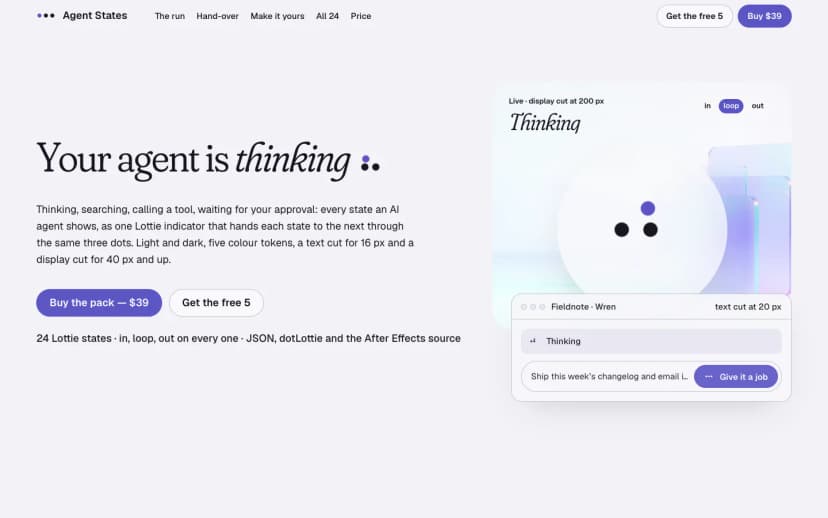
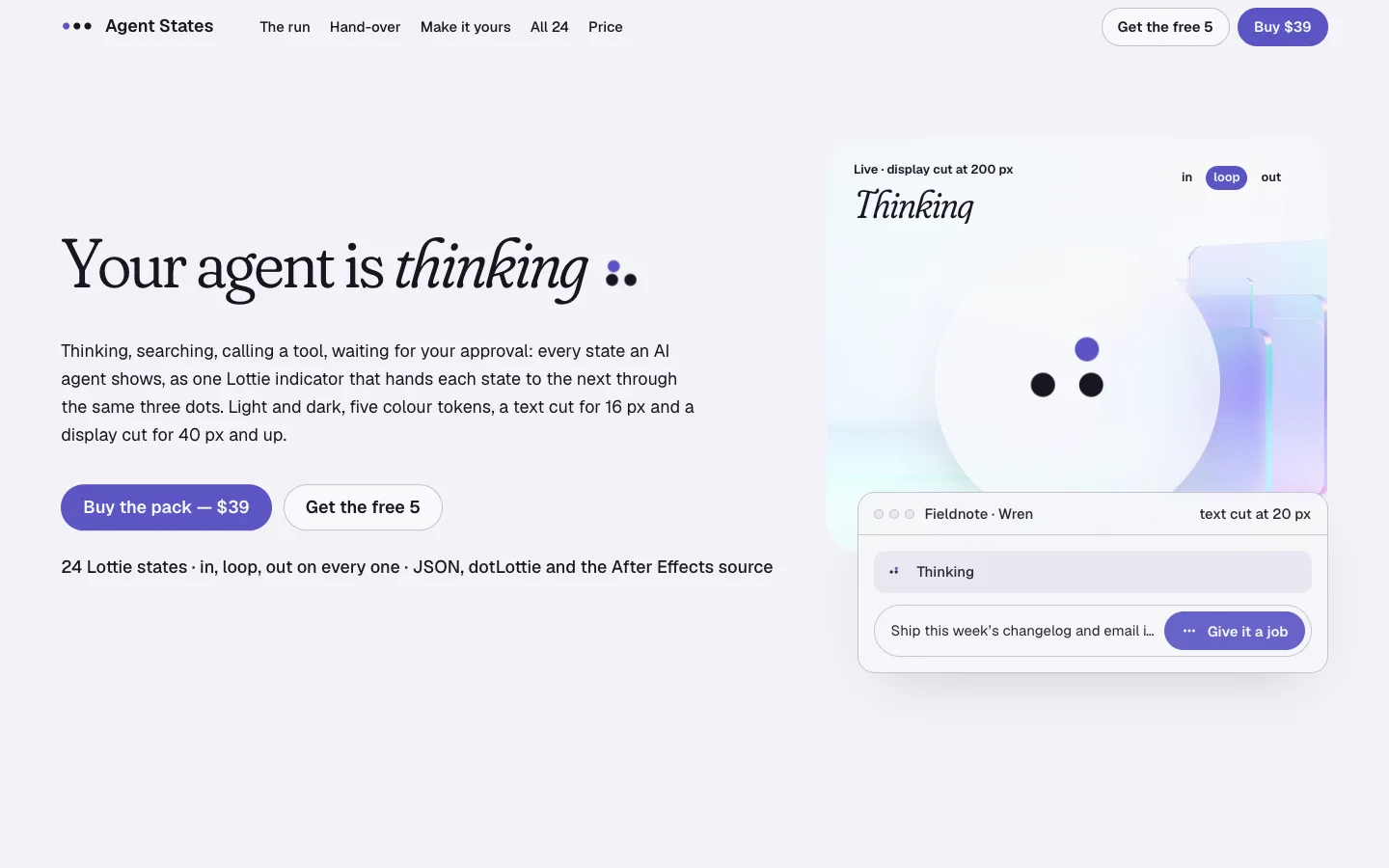
- 24 agent states, each in two cuts. A text cut sized for 16 px, to sit inline with a line of text. A display cut for 40 px and up, for larger empty states or headers.
- In, loop and out on every state. Each state can enter, hold for as long as needed, and exit. That is what lets any state hand over to any other.
- Light and dark themes, with five colour tokens. You can match the indicator to your interface colours.
- Lottie JSON and dotLottie files. Two formats, so you can pick the one your player expects.
- The After Effects source. You can open the original project and change the motion yourself.
- A React controller and HTML snippets. One path for React apps, one for plain pages.
- Home-pose SVG stills for reduced motion. A static image of the resting pose, for users who ask their system for less motion.
Compatibility, as listed: lottie-web (SVG and canvas renderers) and dotLottie players, on web, React, iOS and Android.
The store page shows the indicator on desktop and on a phone. These are the real screenshots.
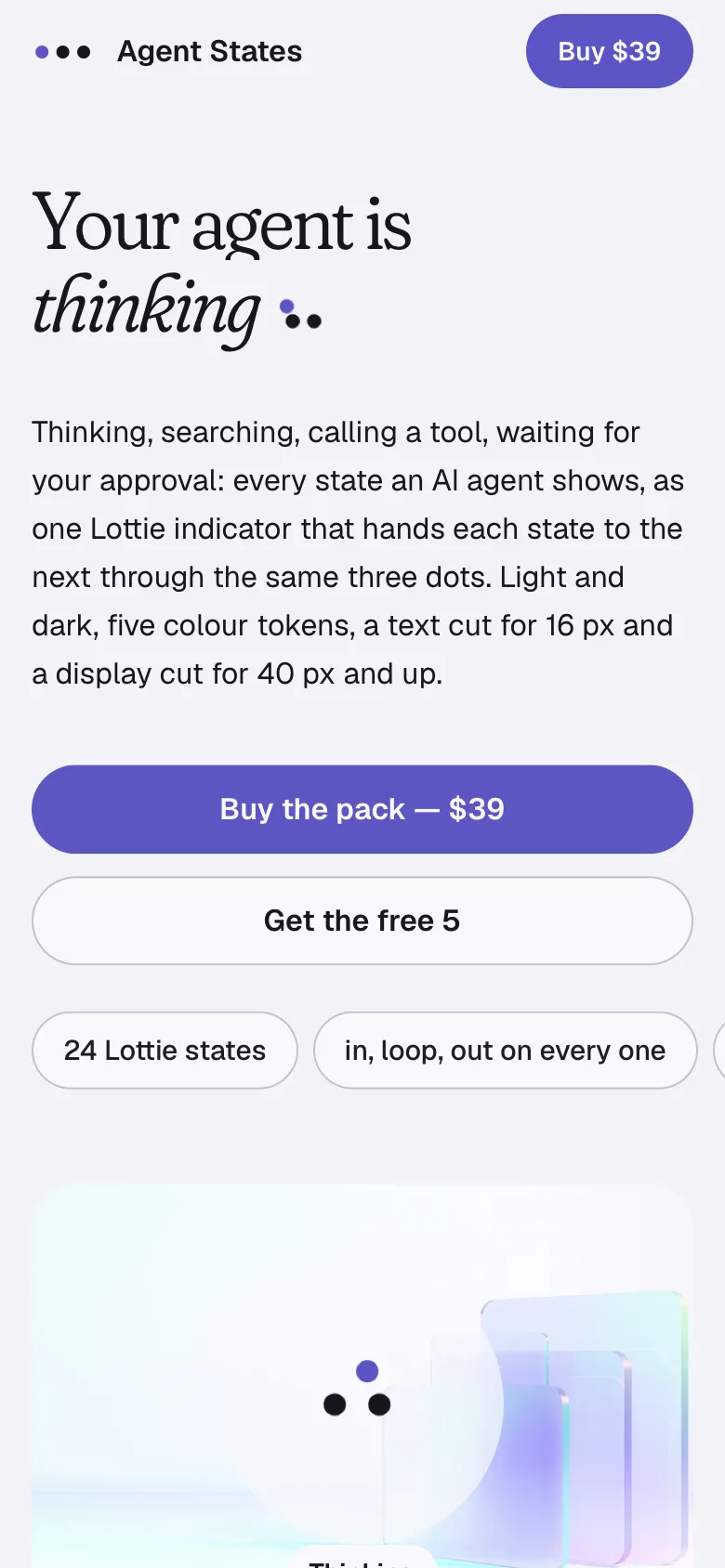
Some limits, stated plainly. This is an indicator, not a chat interface. It does not include message bubbles, an input box or any agent logic. Your code decides which state is active; the pack only shows it. The facts list no GIF or video exports, only Lottie JSON, dotLottie, the SVG stills and the After Effects source. There are no separate docs pages listed for it yet.
Who it fits, and who it does not
It fits you if:
- You build a chat, copilot or agent interface and want each wait to be readable.
- Your agent has steps a user should notice, such as tool calls or an approval gate.
- You already use Lottie on web or mobile, or are happy to add a player.
- You want to adjust the motion in After Effects rather than start from nothing.
It is a weaker fit if:
- You only need one generic spinner. A single CSS animation may be enough.
- You cannot add a Lottie or dotLottie player to your stack.
- You need a complete chat UI. This pack is one component of one.
Small businesses with a support assistant on their site can use it too. The value is the same: the visitor sees whether the assistant is looking something up or waiting for them.
How to see the live demo and set it up
Start with the demo. It shows the states handing over to each other, which screenshots cannot.
Then set it up in this order:
- Get the files. The pack is free, every state and every file, the After Effects source included.
- Choose a cut per place. Use the text cut next to 16 px text, such as a status line under a message. Use the display cut at 40 px and up.
- Choose a format. Use Lottie JSON with lottie-web. Use the dotLottie files with a dotLottie player.
- Wire it in. In a React app, use the included React controller. On a plain page, start from the HTML snippets.
- Set the theme. Pick light or dark, then set the five colour tokens to match your interface.
- Map your agent's states. Connect each real step in your agent to one of the 24 states. Let the in, loop and out segments handle the change between them.
- Handle reduced motion. Show the home-pose SVG still when the user prefers reduced motion. The standard way to detect this is the prefers-reduced-motion media feature.
- Watch the live demoSee how states hand over through the same three dots before you plan anything.
- Pick a cutText cut for 16 px next to copy, display cut for 40 px and up.
- Pick a formatLottie JSON for lottie-web, dotLottie for dotLottie players on web, iOS or Android.
- Wire it inReact controller for React apps, HTML snippets for plain pages.
- Theme itLight or dark, then set the five colour tokens to your palette.
- Respect reduced motionSwap in the home-pose SVG still for users who ask for less motion.
The result, and what to do next
Once wired in, your interface has one indicator that changes meaning as the agent works. The user can tell thinking from searching, and searching from waiting on them. Because every state passes through the same three dots, the changes read as one movement, not a series of swaps.
A sensible next step: list the steps your agent actually goes through. Then open the demo and match each step to a state. If a step has no clear match, the After Effects source is there to adapt one.
If that list looks like your product, the Agent States page has the screens, the demo and the files. For how Pulse licences cover your own sites and client work, see the licence page.
Questions
Is Agent States really free?
Yes. Every state, every file and the After Effects source are included at no cost.
Does it work outside React?
Yes. It ships HTML snippets alongside the React controller, and the files run in lottie-web and dotLottie players on web, iOS and Android.
What sizes is it made for?
Two cuts per state: a text cut for 16 px and a display cut for 40 px and up.
Can I change the colours or the motion?
Colours through light and dark themes and five colour tokens. Motion through the included After Effects source.
Does it include a chat interface?
No. It is the status indicator only. Message layout, input and agent logic are up to your own code.